Screenshots — Mac
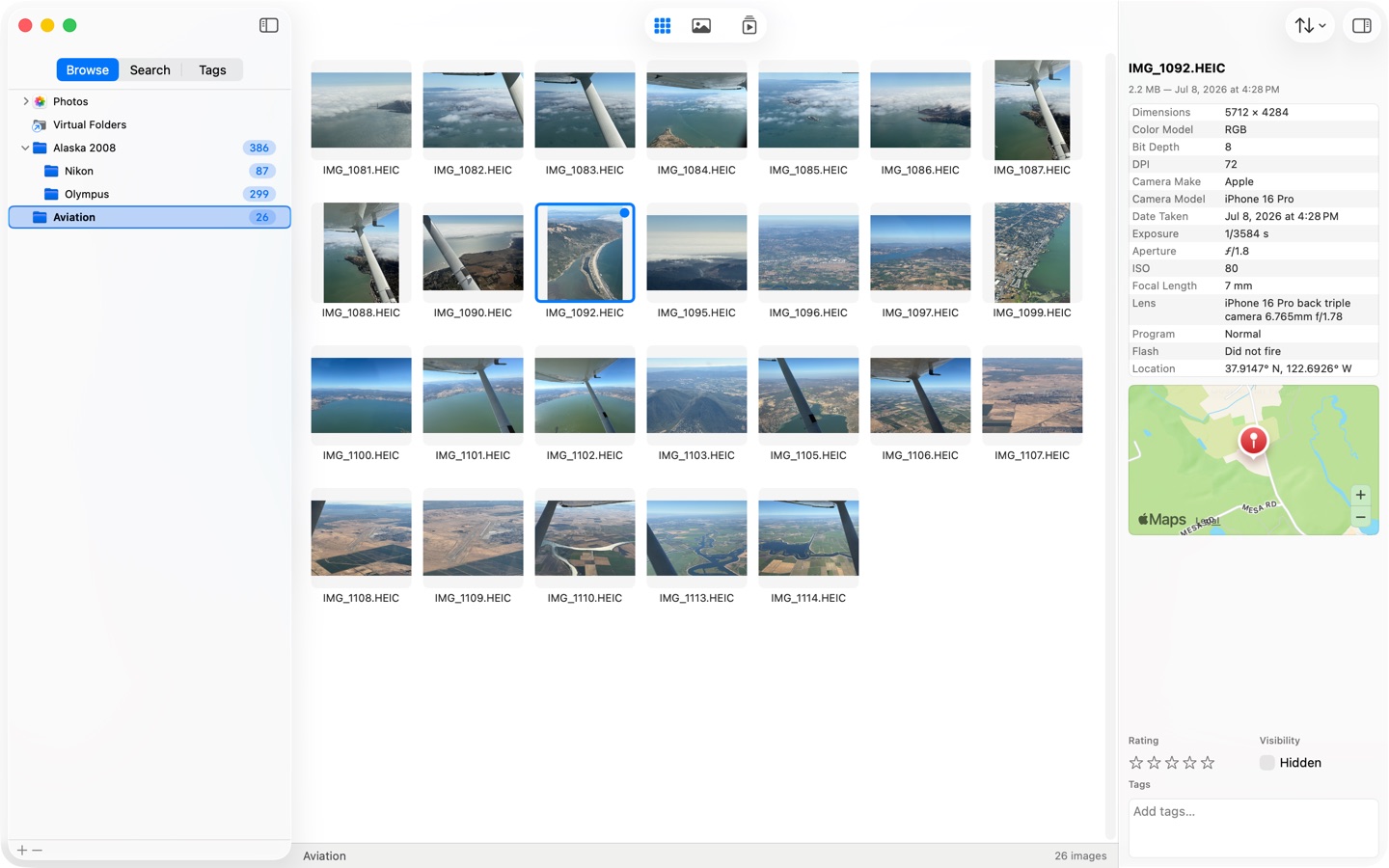
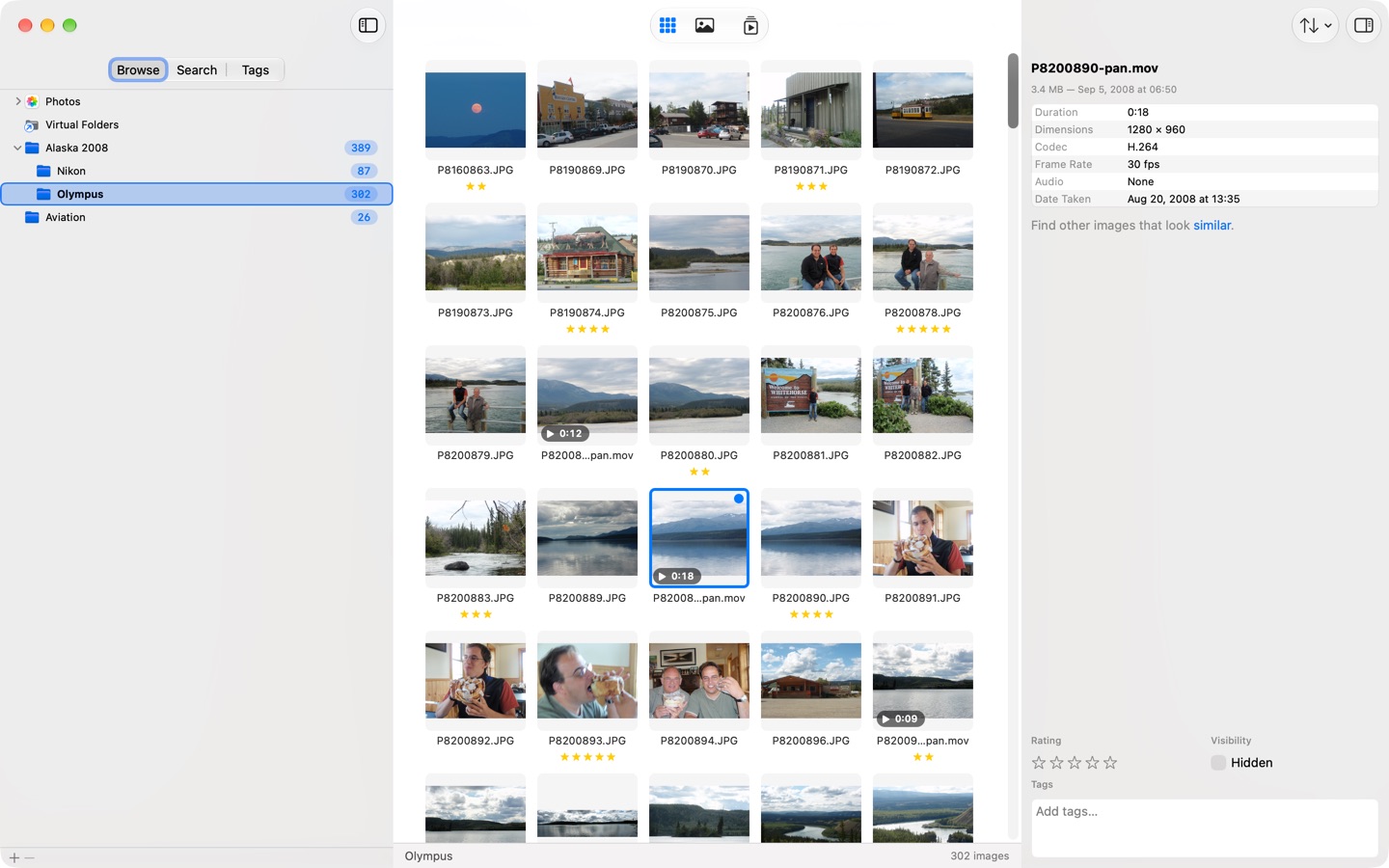
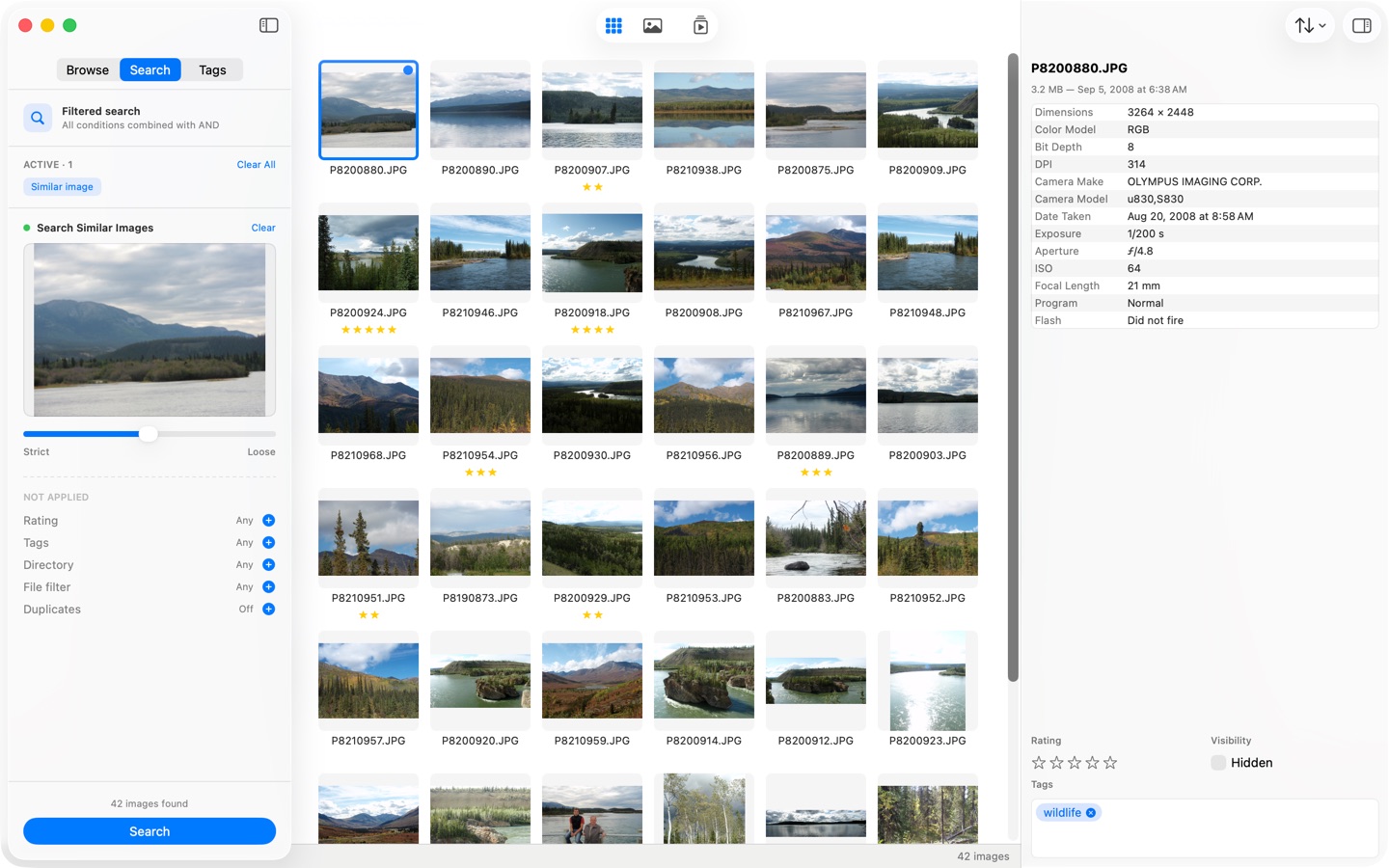
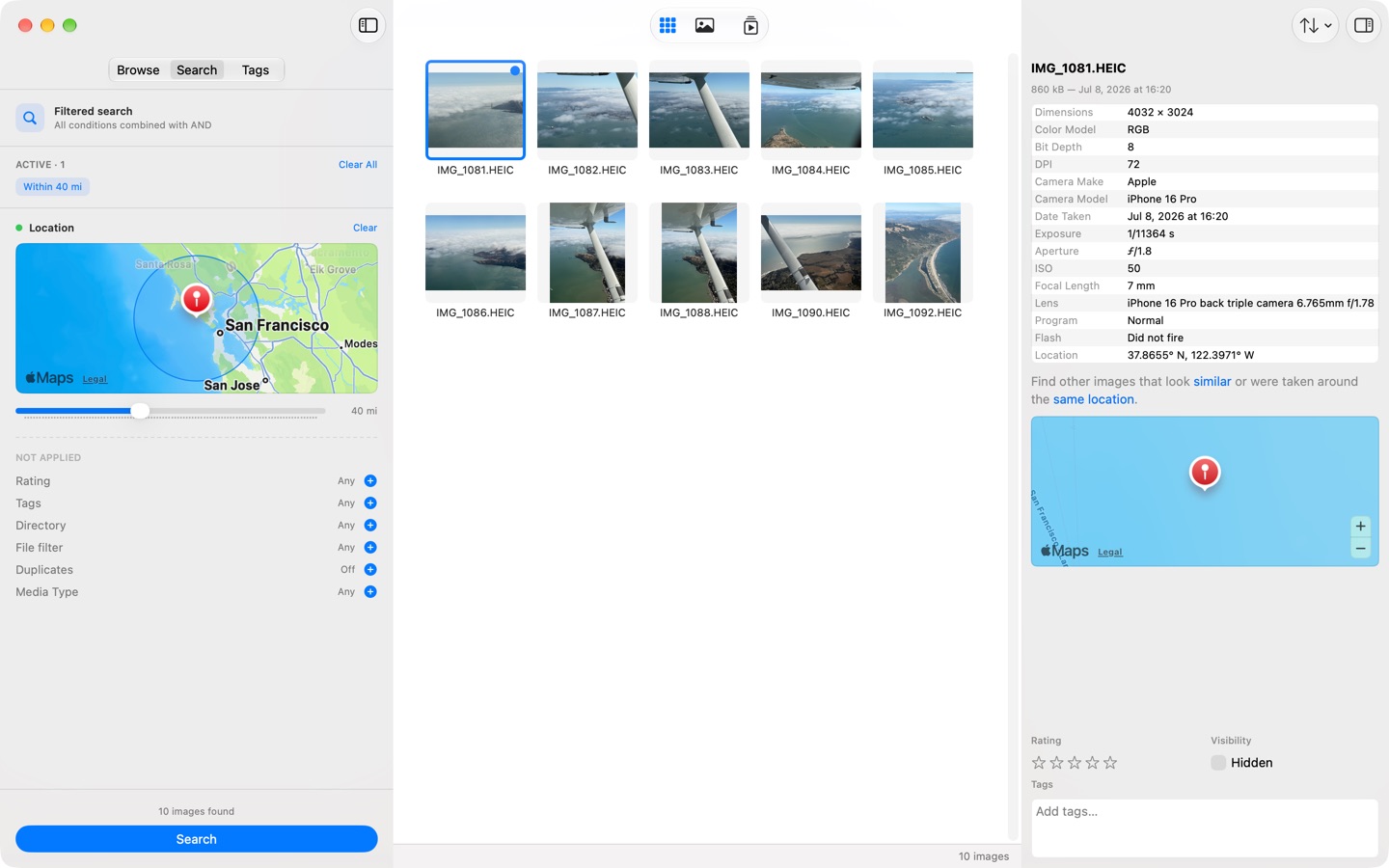
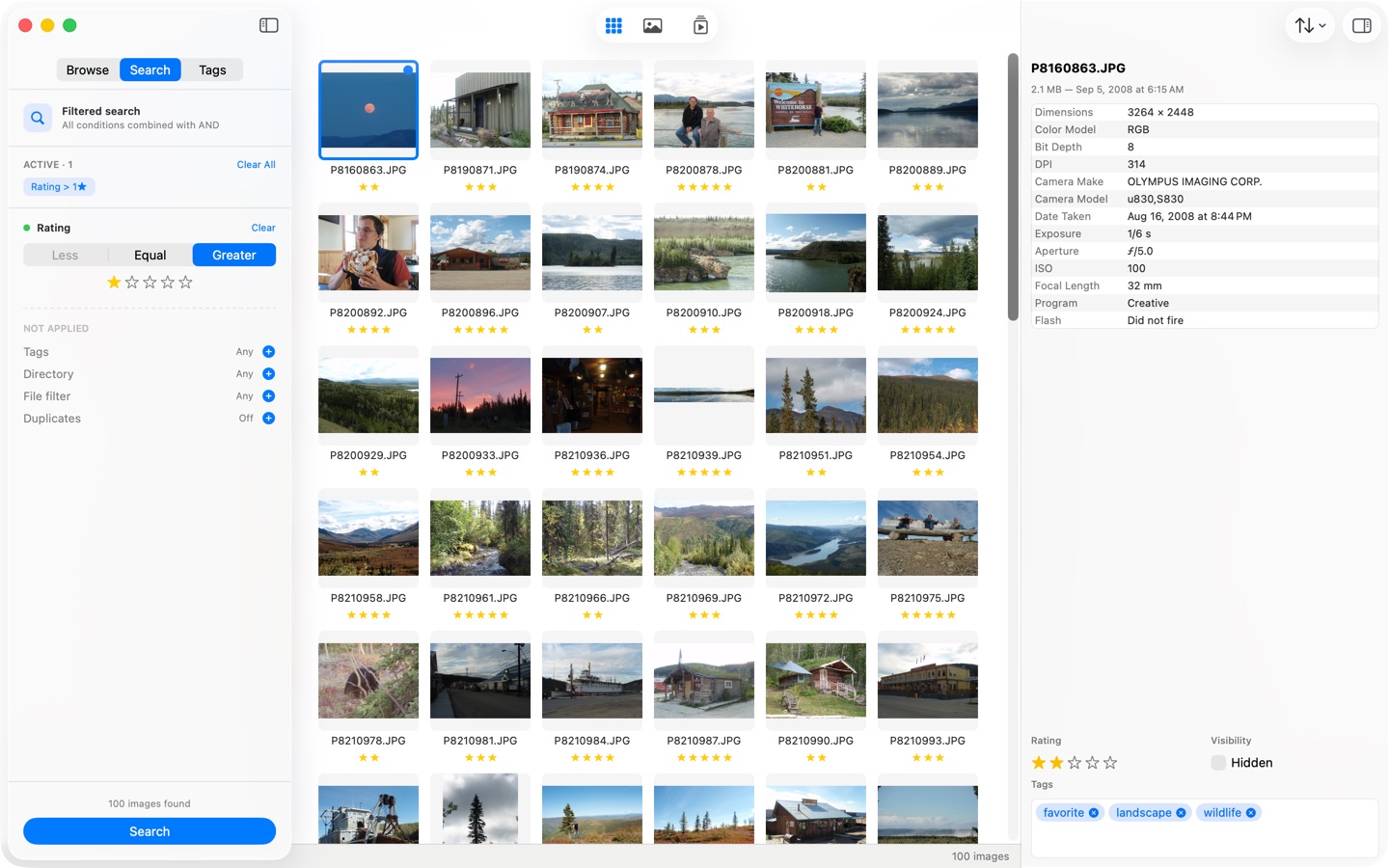
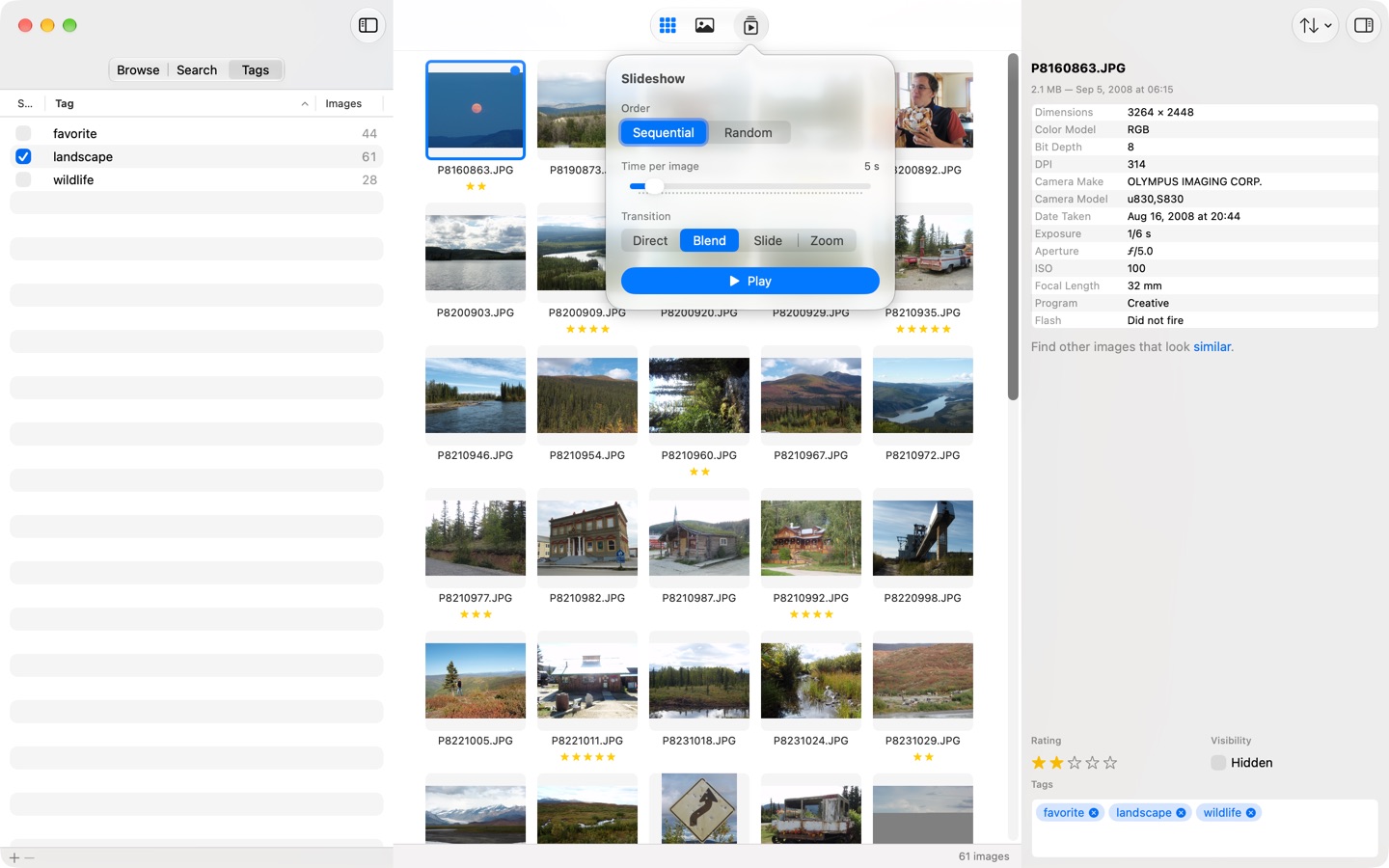
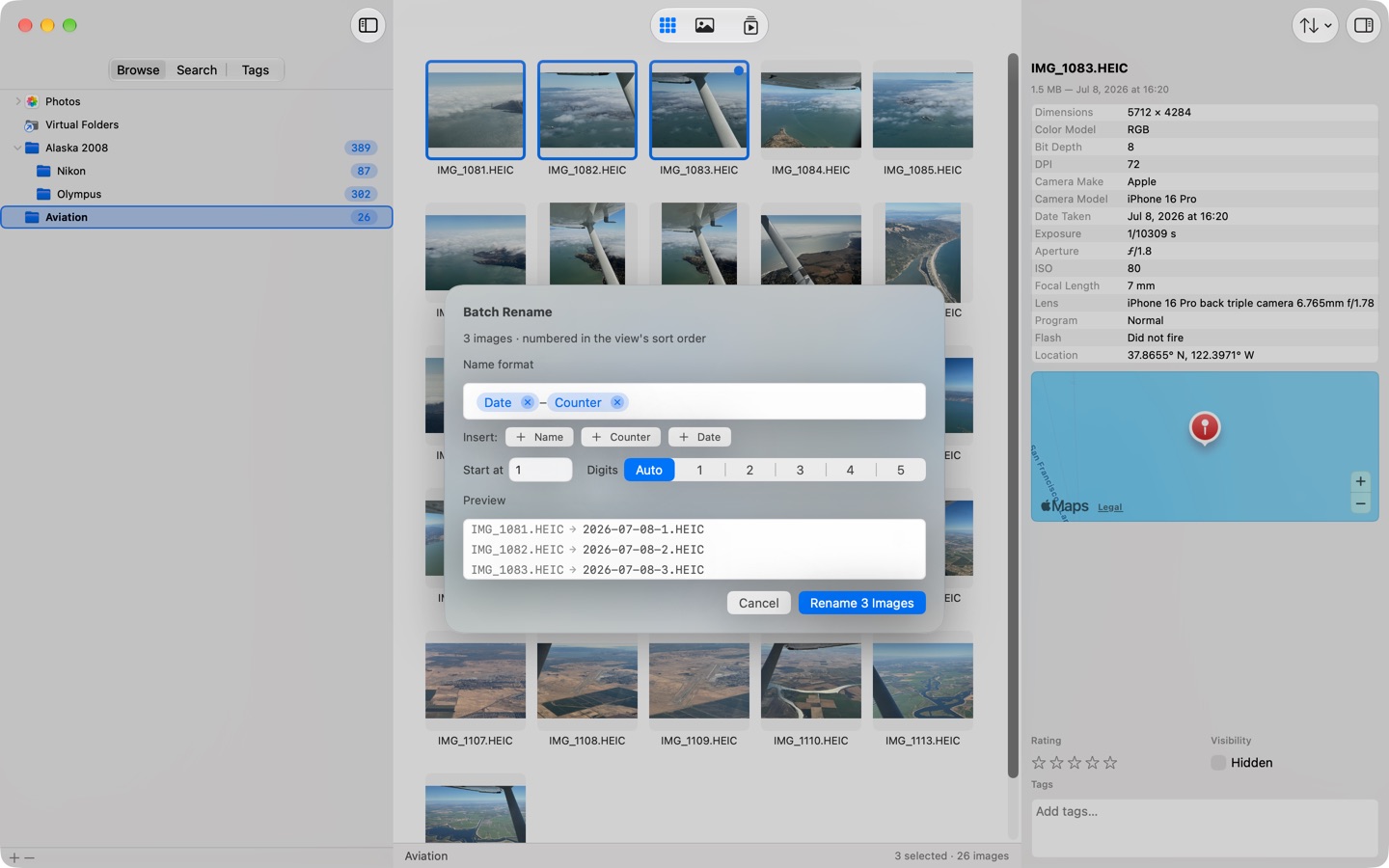
SeeDis on macOS.
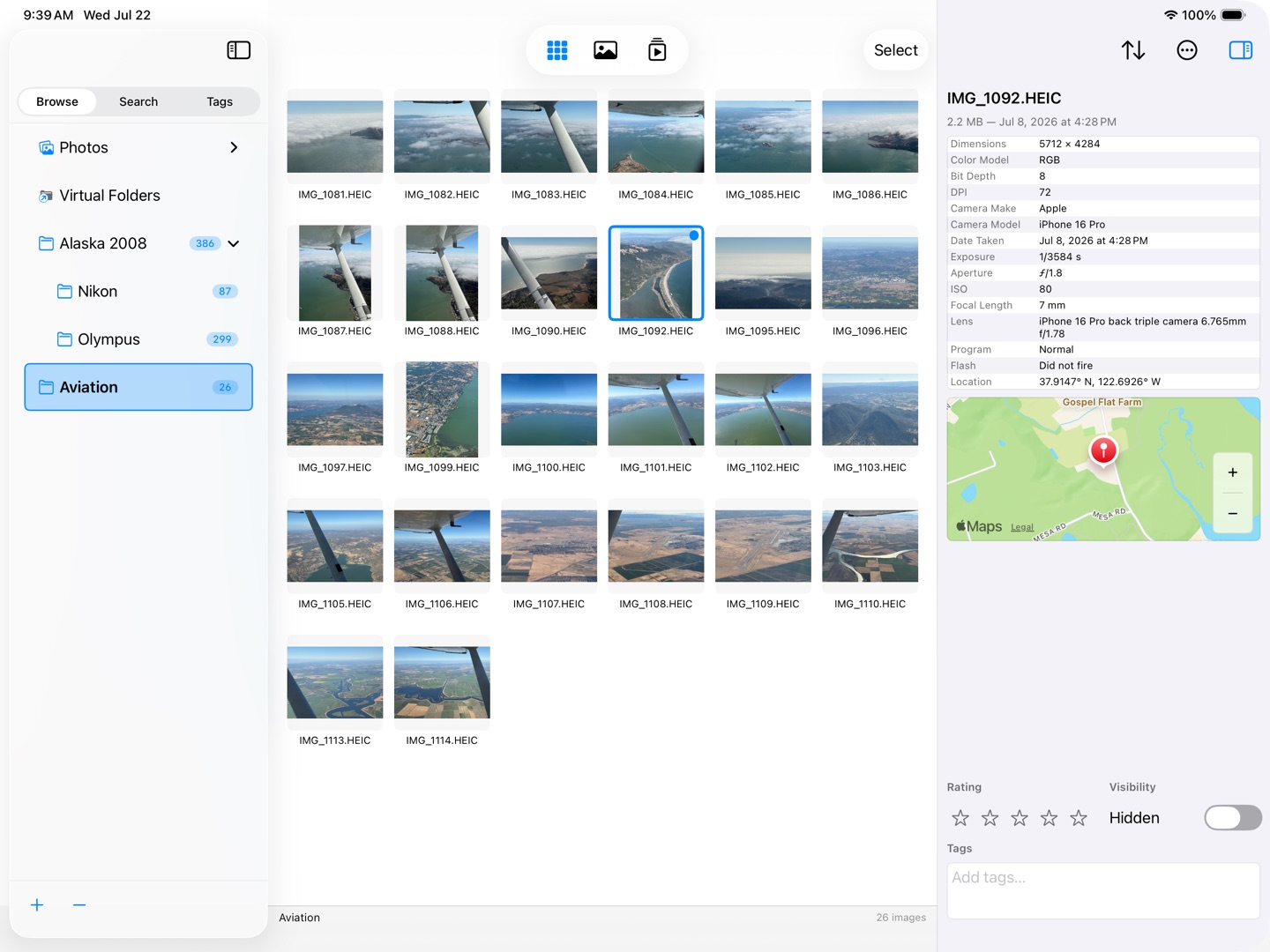
Web-sized previews below; the press-kit ZIP carries all originals at 2880×1800 (Mac) and 2752×2064 (iPad), plus the app icon.
Press kit
Everything you need to cover SeeDis: fact sheet, screenshots for Mac and iPad, the app icon, and review copies. For anything missing, email support@glyph42.com — you'll hear back from the developer, usually within a day.
Fact sheet
| What | SeeDis Media Browser — a fast, private photo and video browser for Mac and iPad |
| Price | $9.99 / 9,99 € — one-time purchase, one universal purchase for Mac and iPad, no subscription |
| Platforms | macOS 26.5 or later · iPadOS 26.5 or later |
| Languages | English, German (fully localized) |
| Released | July 2026 on the Mac App Store and iPadOS App Store |
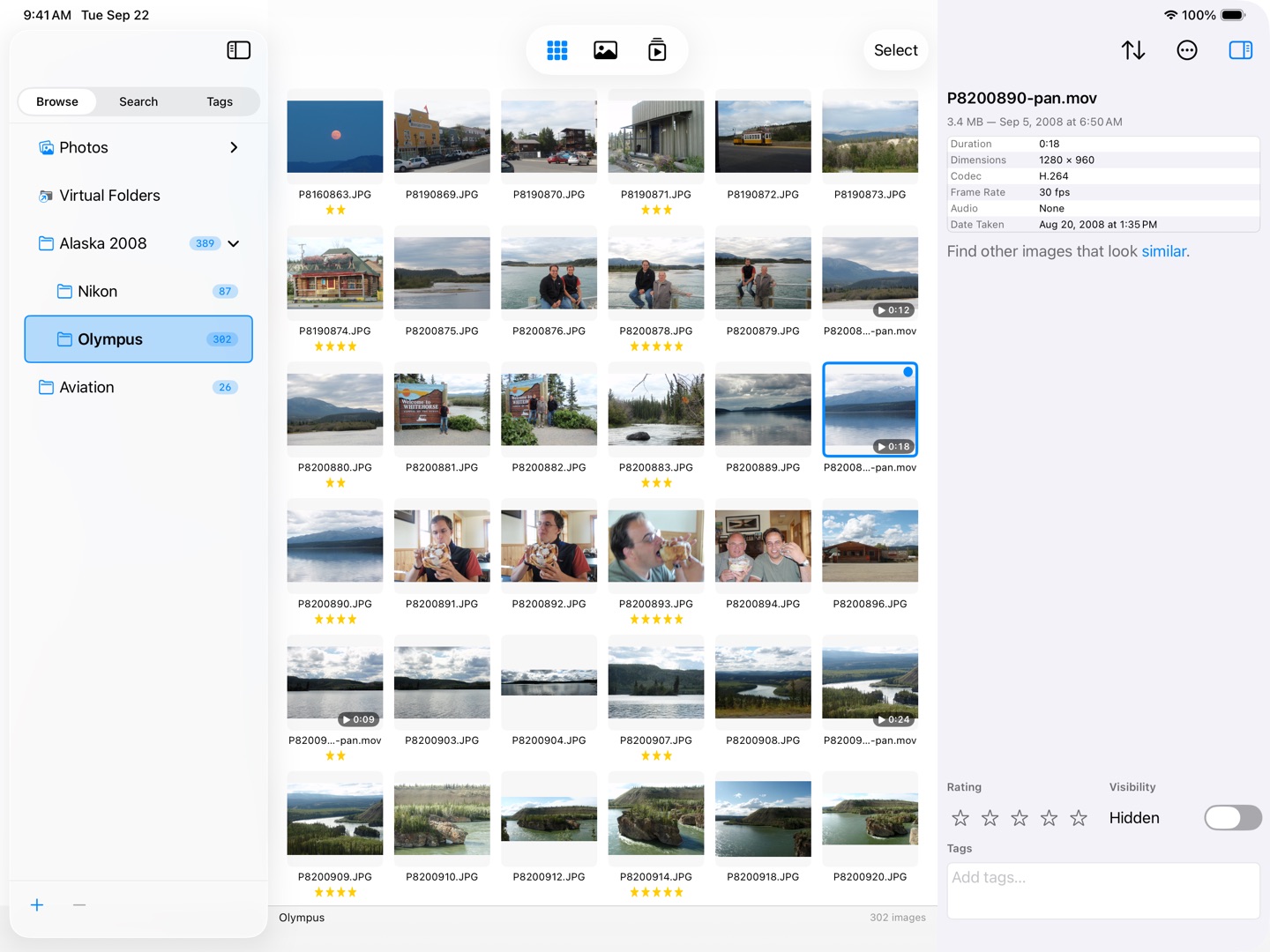
| Current version | 26.10 (September 2026) — adds videos, over twenty Shortcuts actions, Siri support on macOS 27 and iPadOS 27, and Peek, a quick look with the Space bar |
| Developer | Oliver Draese, publishing as glyph42 |
| App Store | apps.apple.com/us/app/seedis-media-browser/id6787205161 |
| Website | glyph42.com/seedis.html |
| Review copies | Promo codes available — email support@glyph42.com |
The story
Photo libraries outgrow the tools meant to hold them. Import-based managers want to own your files; cloud services want to see them. SeeDis takes a third path: point it at the folders you already have — or your Apple Photos library — and browse instantly. There is no import step, and the grid stays smooth beyond 100,000 images.
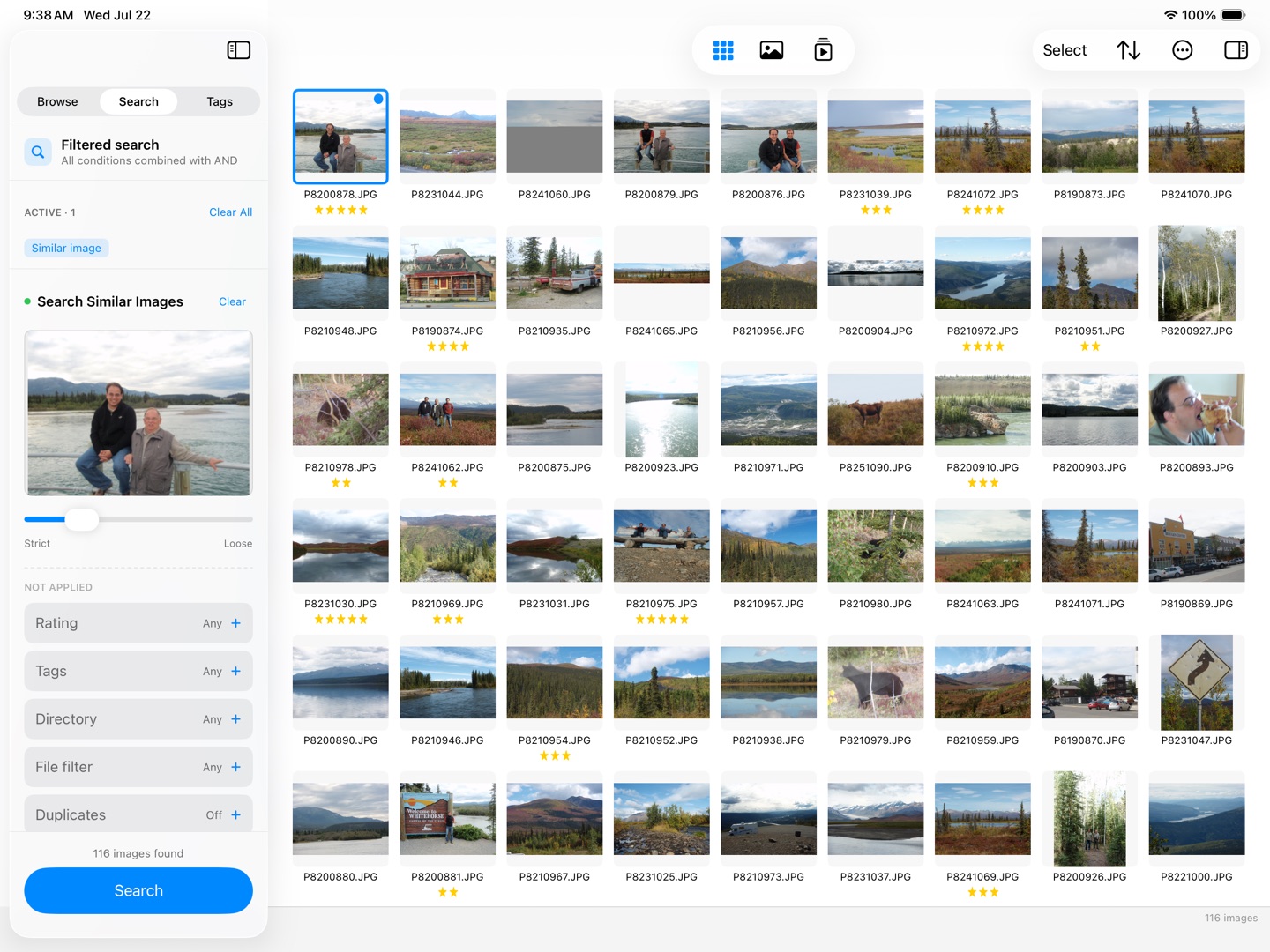
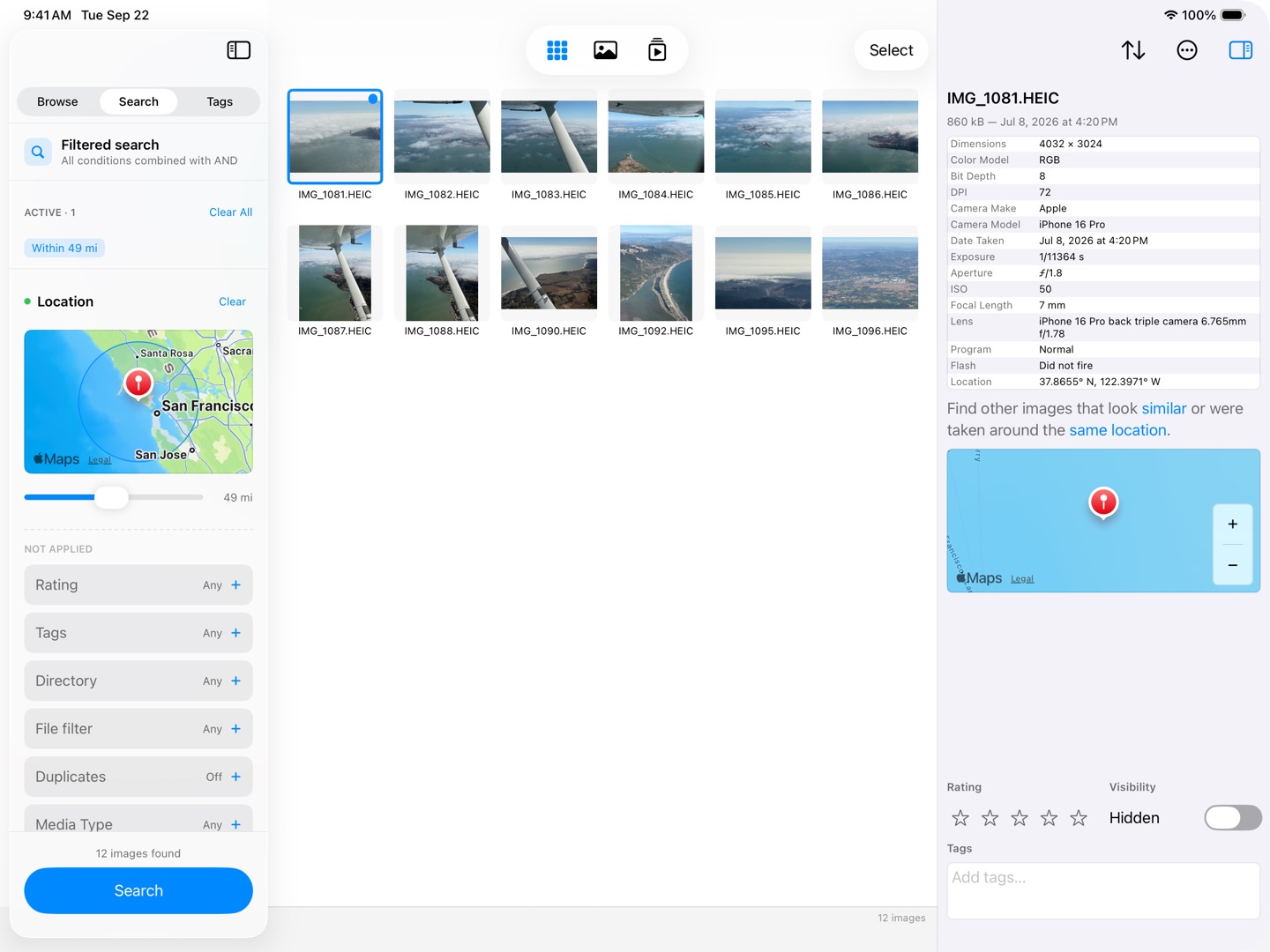
The searching happens entirely on your device: a visual similarity search with a Strict ↔ Loose slider, on-device face recognition that rounds up every picture of the same person, a location search that gathers everything shot within a radius you set around one picture's own coordinates, byte-identical duplicate detection, plus ratings, tags, Virtual Folders, and a batch rename that renames a whole selection on disk behind a live preview. Videos now sit right alongside the photos, more than twenty actions bring the library into the Shortcuts app, and on macOS 27 and iPadOS 27 Siri can create, open or rename a Virtual Folder, add a picture to one, or search the library. SeeDis itself never sends anything about your photos off your Mac or iPad.
SeeDis is written by one developer, in native Swift and SwiftUI, and sold once — no subscription, no accounts, no analytics.
What's notable
Most photo managers make you import before you can look. SeeDis opens folders in place and keeps scrolling smooth past 100,000 images — the indexing happens quietly in the background while you browse.
Faces are detected, fingerprinted, and grouped entirely on-device — on the Mac and on iPad. Pick a photo, and SeeDis finds every other picture of that person. No upload, no account, no telemetry.
One $9.99 purchase covers Mac and iPad in a market that has largely moved to subscriptions. Fully localized in English and German; version 26.10 adds videos, Shortcuts actions and — on macOS 27 and iPadOS 27 — Siri support.
Screenshots — Mac
Web-sized previews below; the press-kit ZIP carries all originals at 2880×1800 (Mac) and 2752×2064 (iPad), plus the app icon.
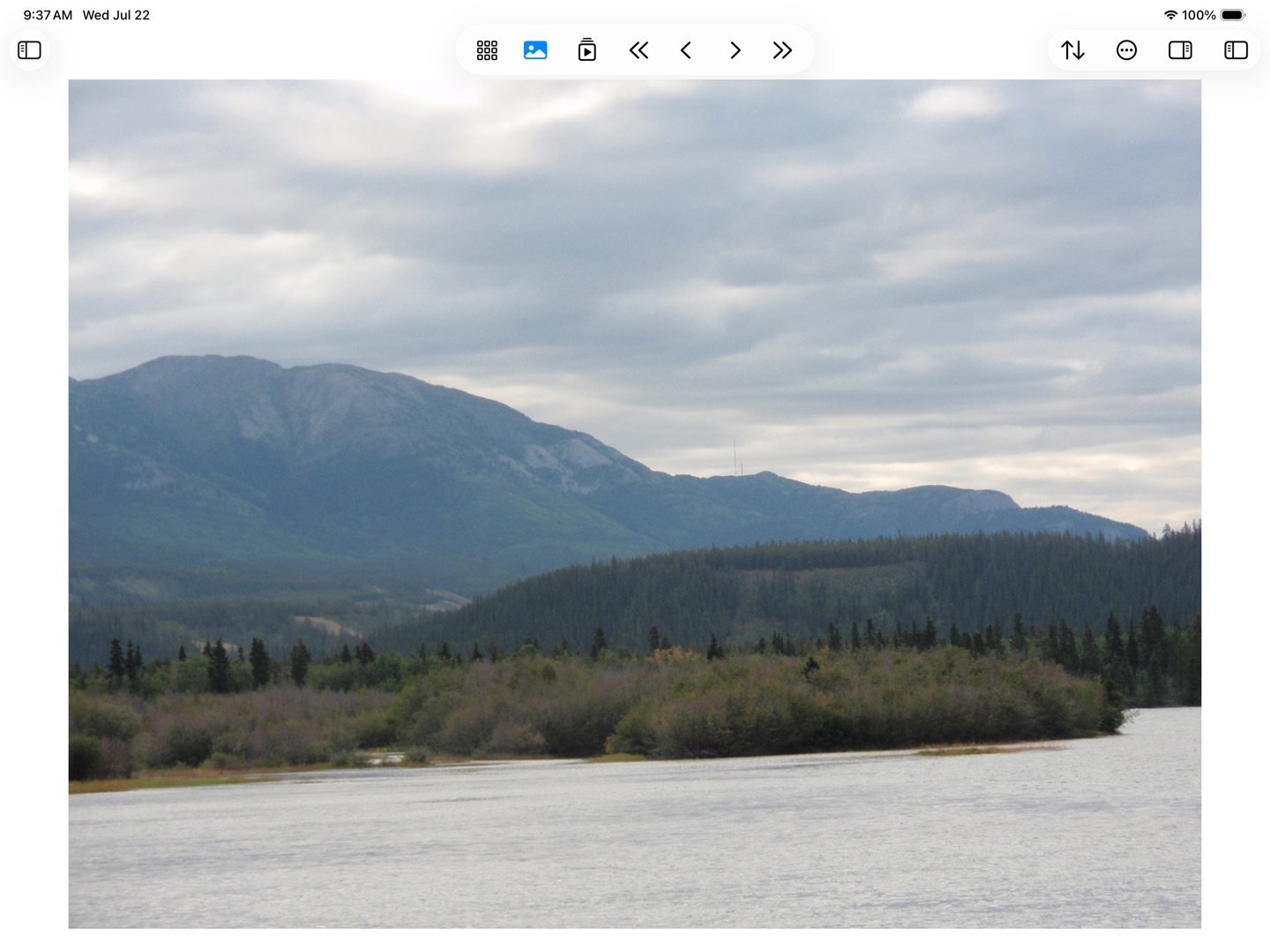
Screenshots — iPad
Boilerplate
SeeDis Media Browser is a fast, private photo and video browser for Mac and iPad by indie developer glyph42. It browses folders and the Apple Photos library in place — no import step — and stays smooth beyond 100,000 images. Similarity search, on-device face recognition, location search, duplicate detection, ratings, tags, Virtual Folders, and batch renaming all run locally, and more than twenty Shortcuts actions — plus Siri on macOS 27 and iPadOS 27 — put the library a request away; SeeDis itself never uploads anything. SeeDis is a one-time $9.99 universal purchase on the App Store, localized in English and German.