See more in your pictures.

SeeDis is a fast, native image browser for Mac and iPad. It brings the folders on your disk and your Apple Photos library together in one place — then lets you search them in ways the Finder can't: by how an image looks, by who's in it, or by finding exact duplicates.

SeeDis app icon — an eye in front of a photograph Download SeeDis on the App Store macOS 26.5+ iPadOS 26.5+

Get SeeDis Media Browser on the App Store —
$9.99, one purchase for Mac & iPad.

What SeeDis is

Everything in one place — nothing leaves your device.

As you browse, SeeDis quietly builds a private index of your pictures: small previews, a visual “fingerprint” of each image, and the faces it contains. That index powers similarity search, face search, and duplicate detection — all computed locally. It never moves, copies, or changes your files.

Folders & Photos together

Browse folders on disk and albums from your Apple Photos library side by side, in one tree. Eject a drive and its folders simply grey out — they come back on their own.

Find Similar

SeeDis's signature search. Right-click any picture and find others that look like it, with a Strict ↔ Loose slider to cast a wider or tighter net.

Same Face

Faces are detected on-device and grouped by likeness. Pick a photo and instantly round up every other picture of the same person.

Duplicate detection

Find byte-identical copies across your whole indexed library, then keep just one and send the extras to the Trash in a couple of clicks.

Ratings & tags

Rate images 0–5 stars and tag them with your own keywords — applied to a whole selection at once, and ready to mix into any search.

Virtual Folders

Gather pictures from anywhere — disks, drives, even Photos — into saved collections, like a playlist. The files themselves never move.

Fast at any scale

No import step: point SeeDis at a folder and browse it instantly. The grid stays smooth beyond 100,000 images while indexing runs quietly in the background.

Slideshows & presentation

Play any set as a full-screen slideshow with adjustable timing and transitions — or project it onto an external display and present from your Mac or iPad.

Make it yours

Ten themes from light to dark — including Dracula, Nord, and Solarized — plus adjustable thumbnails and a keyboard-friendly workflow on the Mac.

A look inside

Built for browsing, made for finding.

Folders and Photos on the left, thumbnails in the center, details on the right — then powerful search when a folder isn't enough.

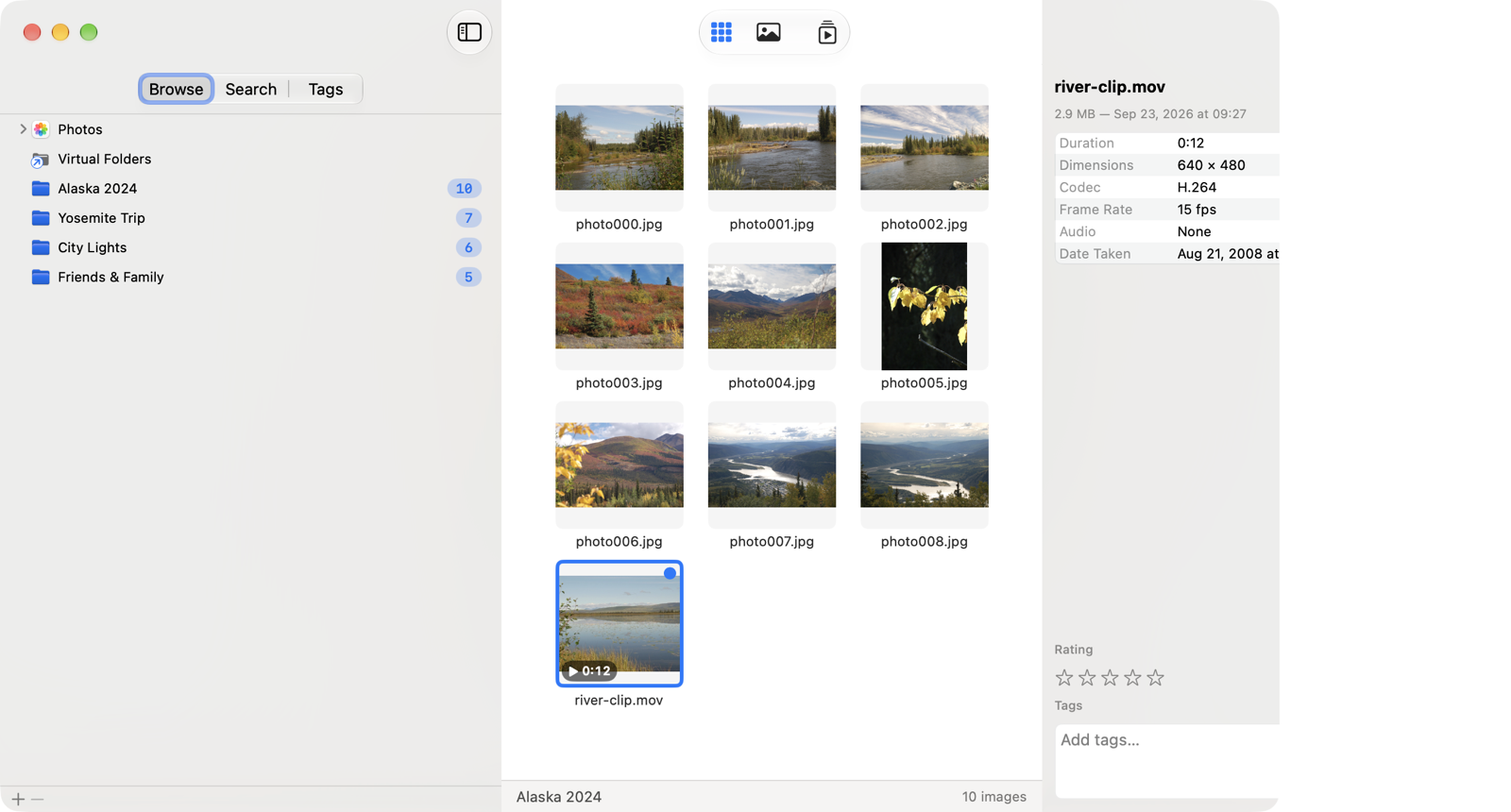
The SeeDis library: a folder tree on the left, a grid of thumbnails in the center, and an information panel on the right.
One window for everything: folders and Photos on the left, thumbnails in the center, details on the right.
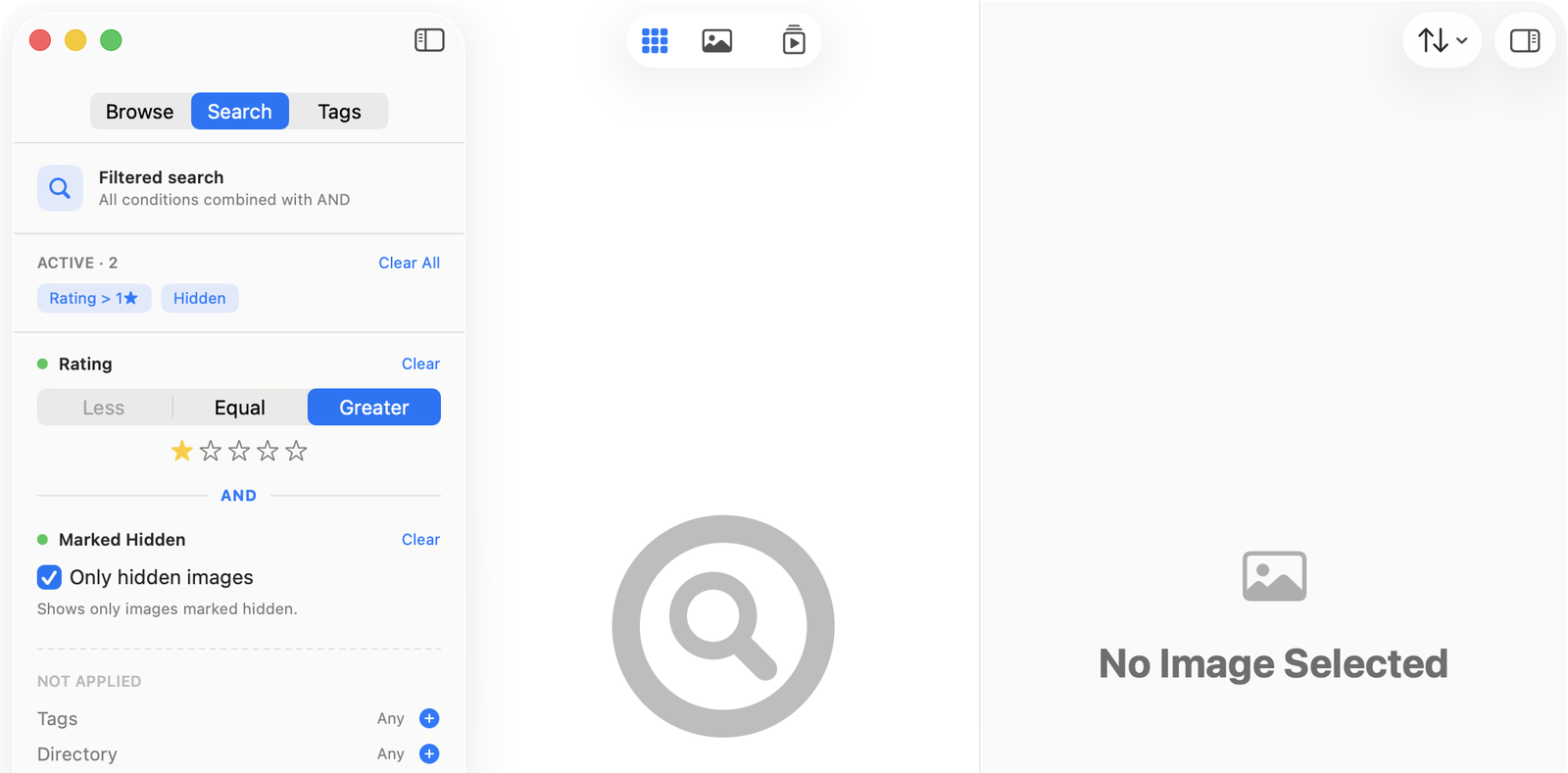
The Search panel with stacked active filters combined with AND, and unused filters waiting below.
Mix-and-match filters — rating, tags, folder, file name, duplicates — combined with AND for very specific questions.
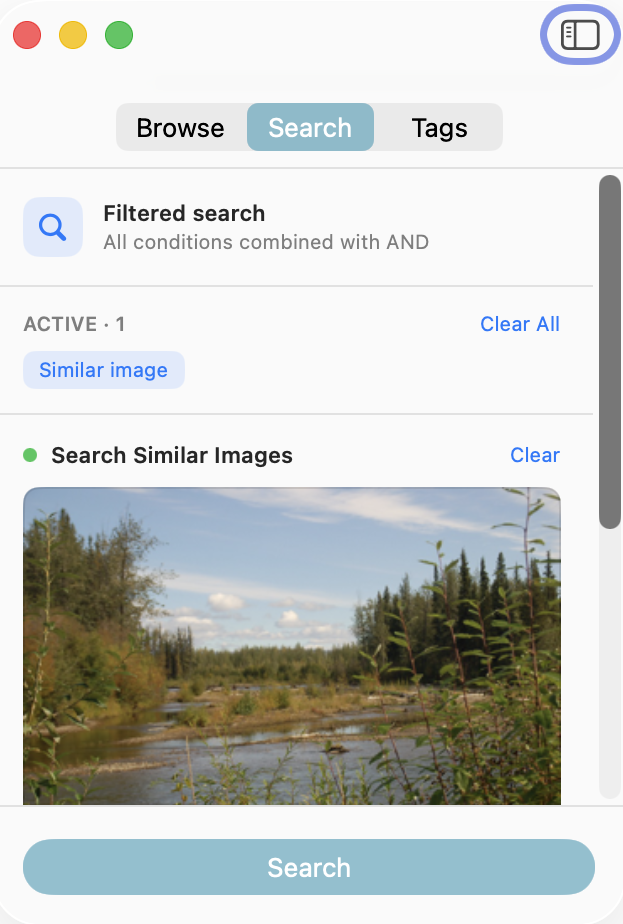
A Find Similar search showing the reference image with a Strict-to-Loose slider beneath it.
Find Similar starts from a picture, with a Strict ↔ Loose slider that controls how close a match must be.
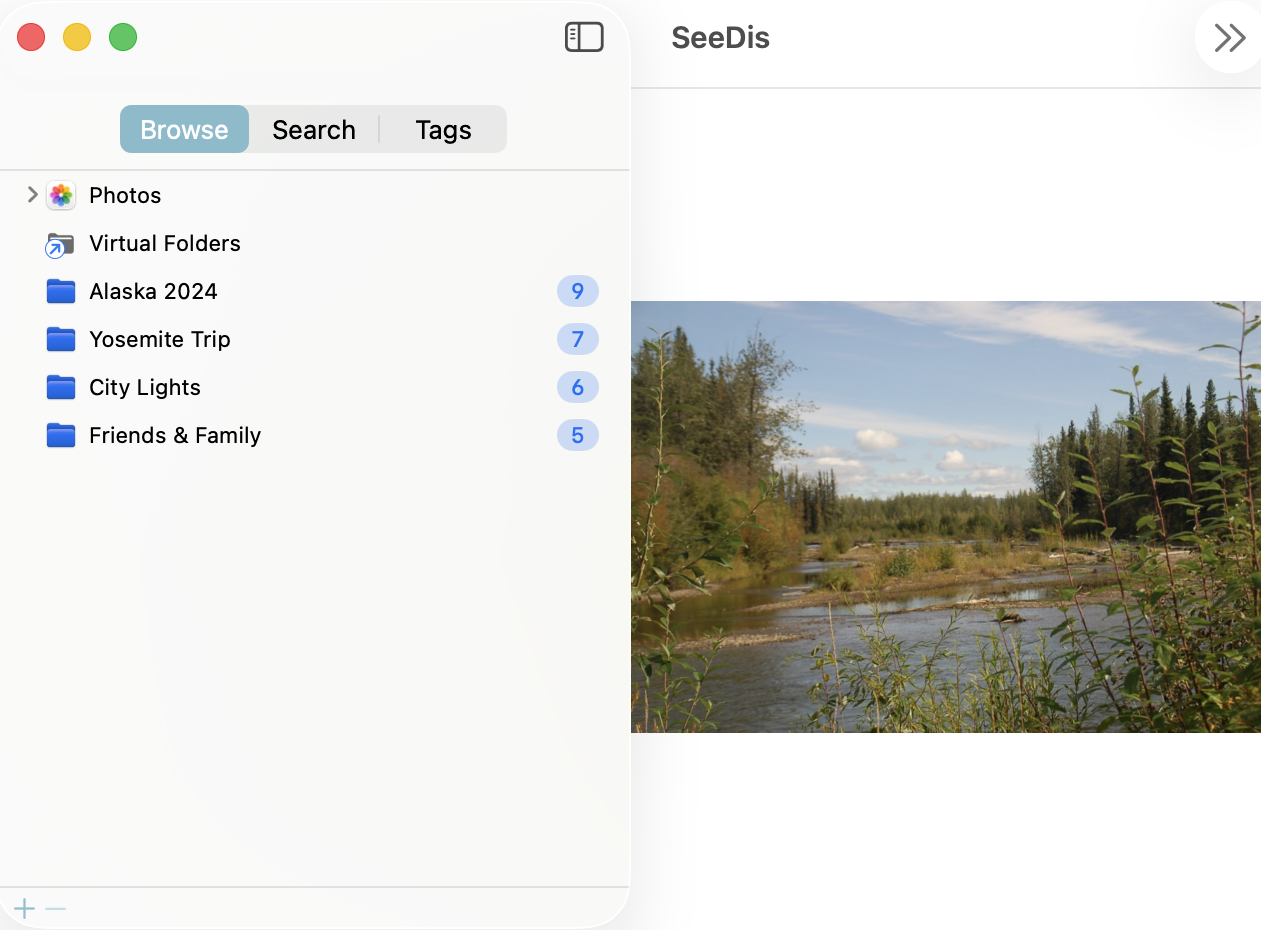
A single image filling the center pane, ready for arrow-key navigation.
Open any picture large, full screen, or as a slideshow — the arrow keys step through the current set.

Now on iPad

Your whole library, under your fingertips.

SeeDis is a universal app: buy it once and it's yours on both Mac and iPad, running the same private, on-device engine. On iPad it's rebuilt for touch — the same folders, Photos, and searches, now a tap and a long-press away.

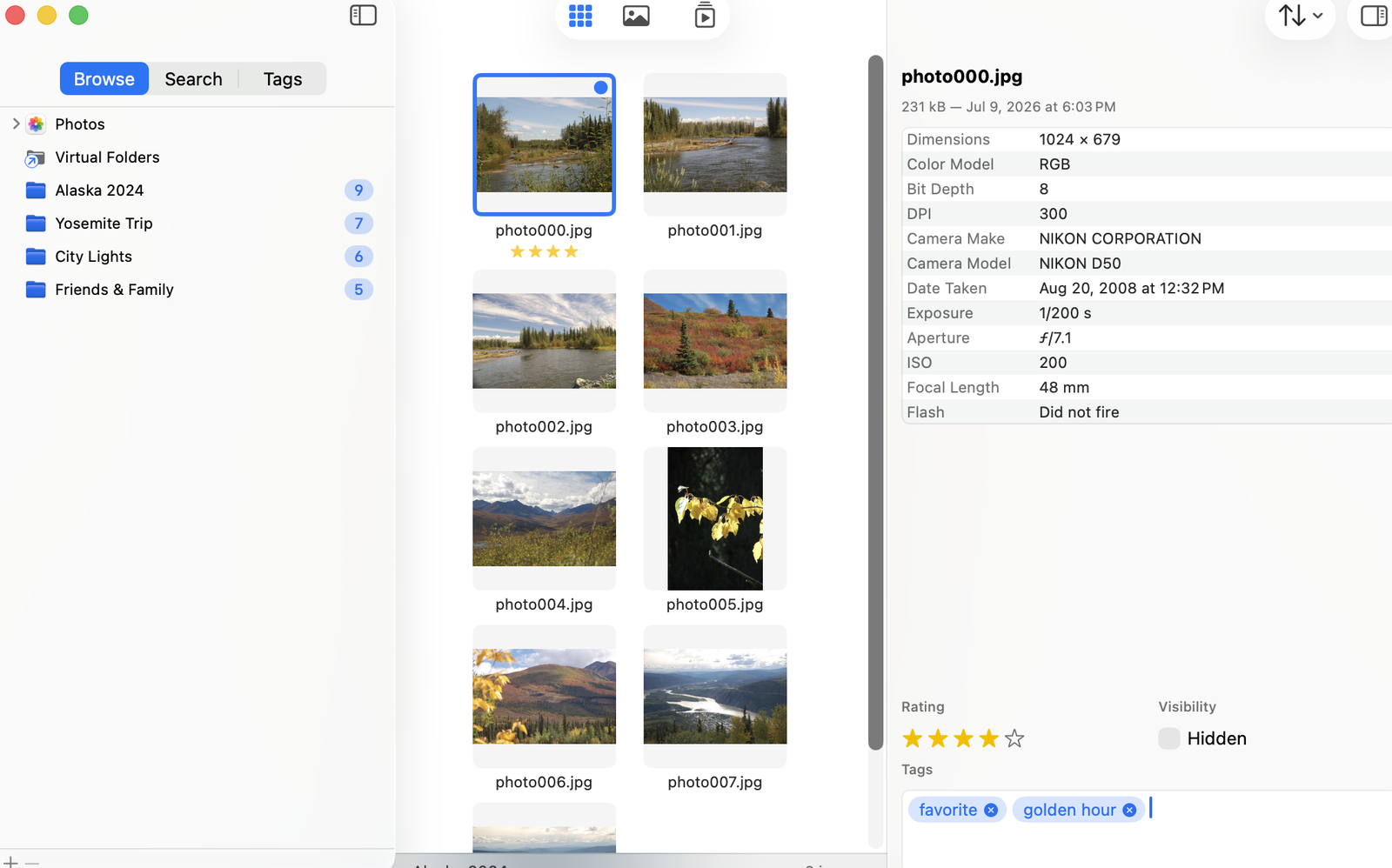
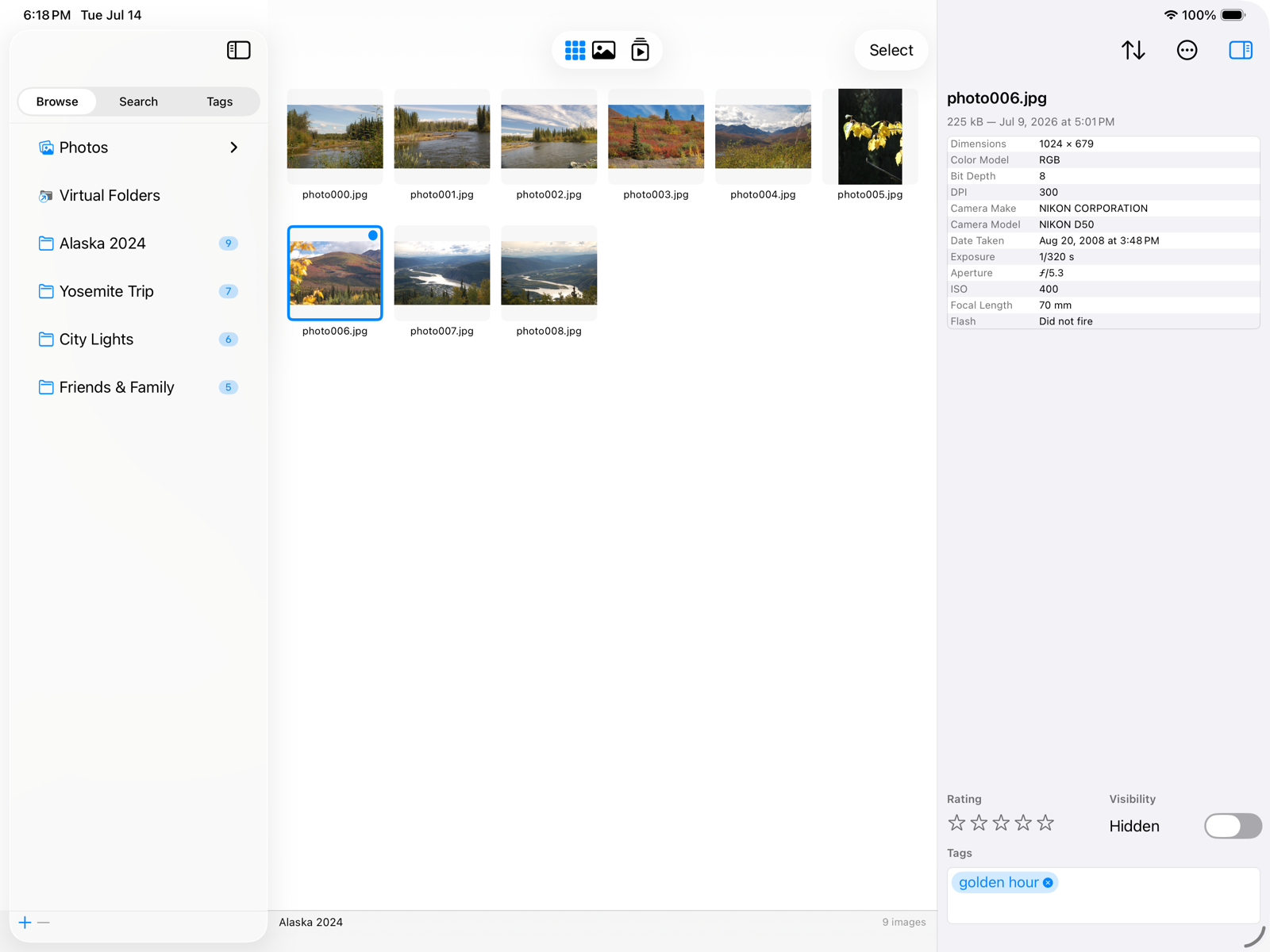
SeeDis on iPad: a Browse, Search, and Tags sidebar on the left, a grid of photo thumbnails in the center beneath a floating glass toolbar, and an image inspector on the right.

The same three-pane layout, reimagined for iPad — a floating glass toolbar switches between grid, single image, and slideshow, with the inspector a tap away.

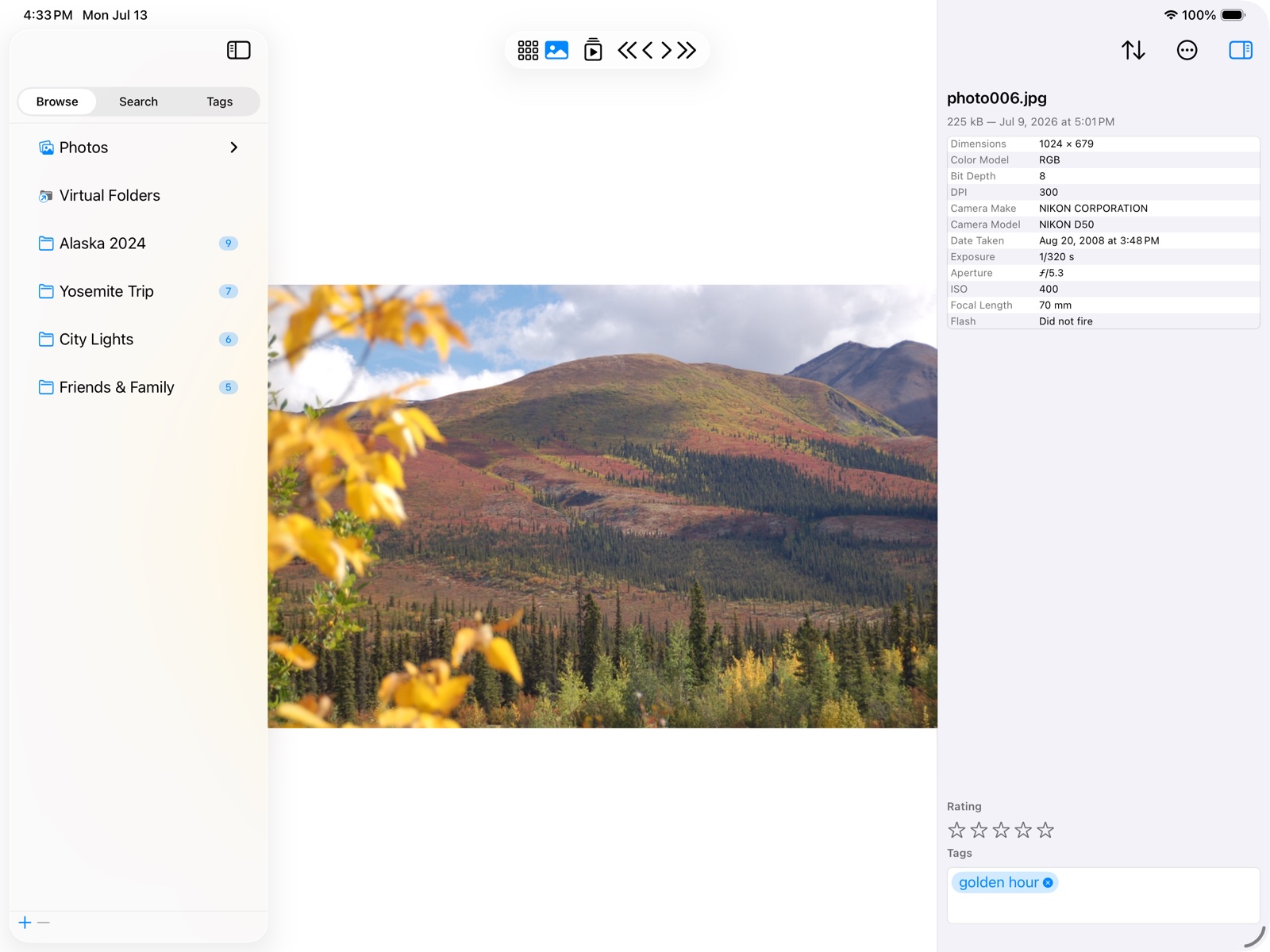
A single photo filling the center of the iPad screen, with controls to step or play through the current set.
Open any picture large or as a slideshow, then swipe or use the arrows to move through the set.
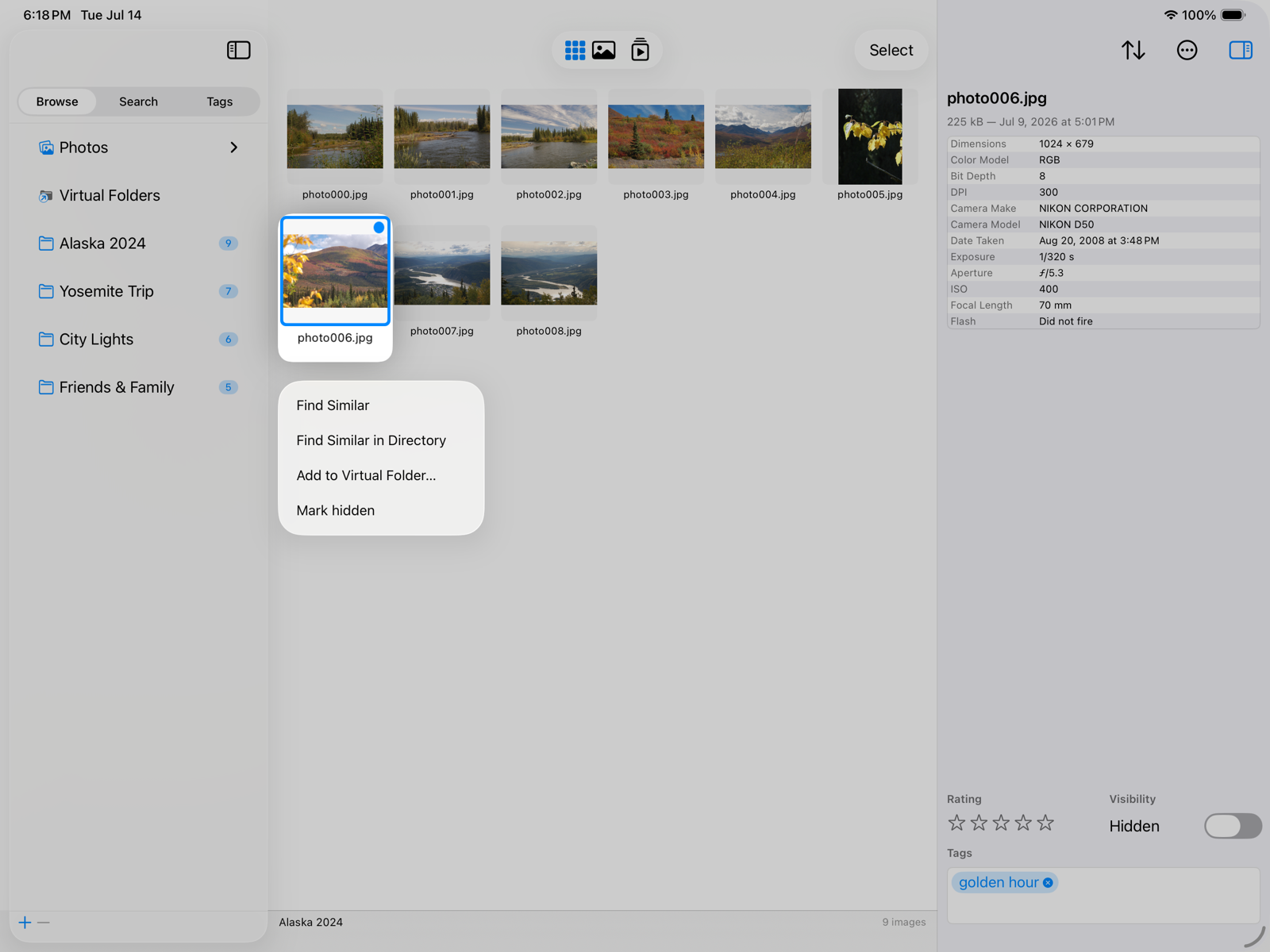
A long-press menu on an iPad photo tile showing Find Similar, Find Similar in Directory, and Add to Virtual Folder.
Touch-native: long-press any picture for Find Similar, or tap Select to rate and tag a whole batch at once.

Mac & iPad

Same core. Shaped for each device.

Every feature works the same way on both platforms — only how you reach for it changes. Ratings, tags, and Virtual Folders behave identically; each device keeps its own library and index, computed privately on-device.

On your Mac

pointer & keyboard

  • Full menu bar and keyboard shortcuts
  • Right-click context menus
  • Drag pictures straight into the Finder
  • Reveal originals in the Finder
  • A resizable window, sized to your screen

On your iPad

multi-touch

  • Touch-first, with long-press menus
  • Tap Select to pick many at once
  • A floating glass toolbar for view modes
  • On-screen or hardware keyboard
  • Every command gathered in a ••• menu

Private by design.

Previews, fingerprints, and face data are all computed and stored locally on your device. Nothing about your photos is ever uploaded anywhere. SeeDis is sandboxed and only ever sees the folders you explicitly add.

Questions, ideas, or feedback?

We'd love to hear how you use SeeDis — and what you'd like to see next.

Contact us